Back to Work
2026
AI Image Translator
A focused AI utility for translating text from images. Upload one photo or screenshot, let OCR detect the source language, pick from eight target languages, and compare the original and translated text side by side.
- Primary keyword
- ai image translator
- Target languages
- 8, source auto-detected
- Backend
- Pages Function
Product tour
How AI Image Translator works
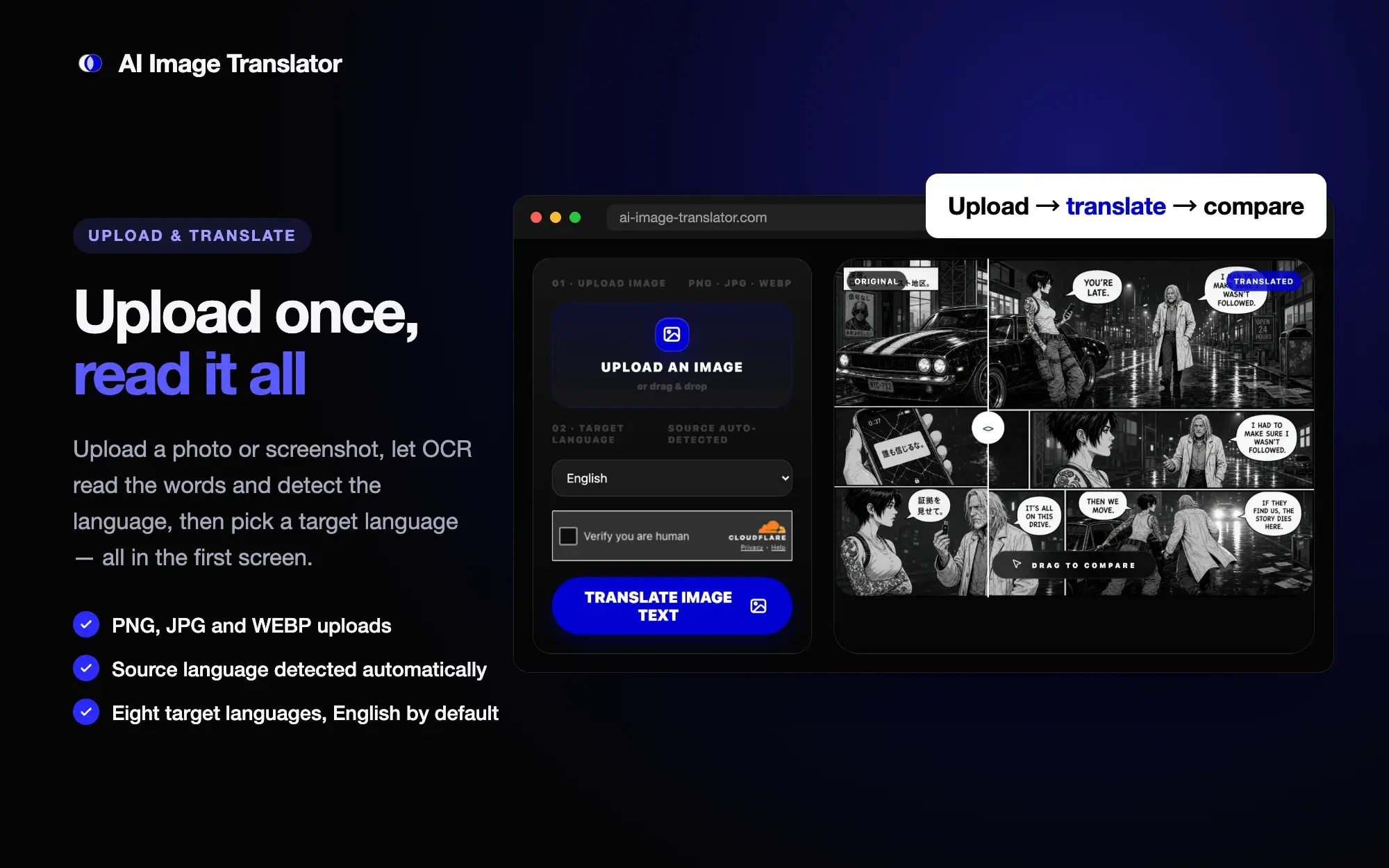
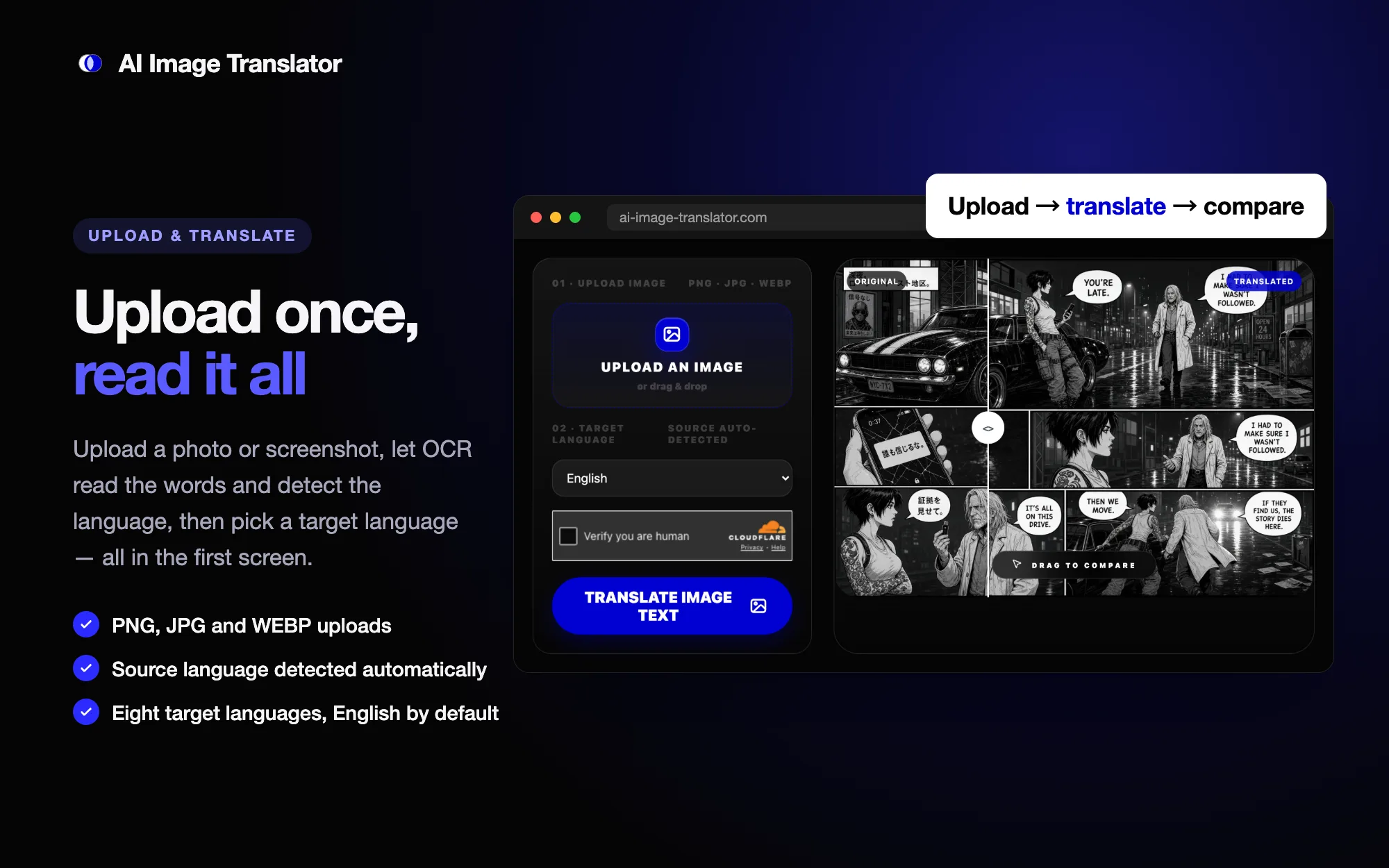
- 01 · Upload & translate
The whole task in the first screen
Upload, target language, and translate sit above the fold, with source-language detection handled automatically.
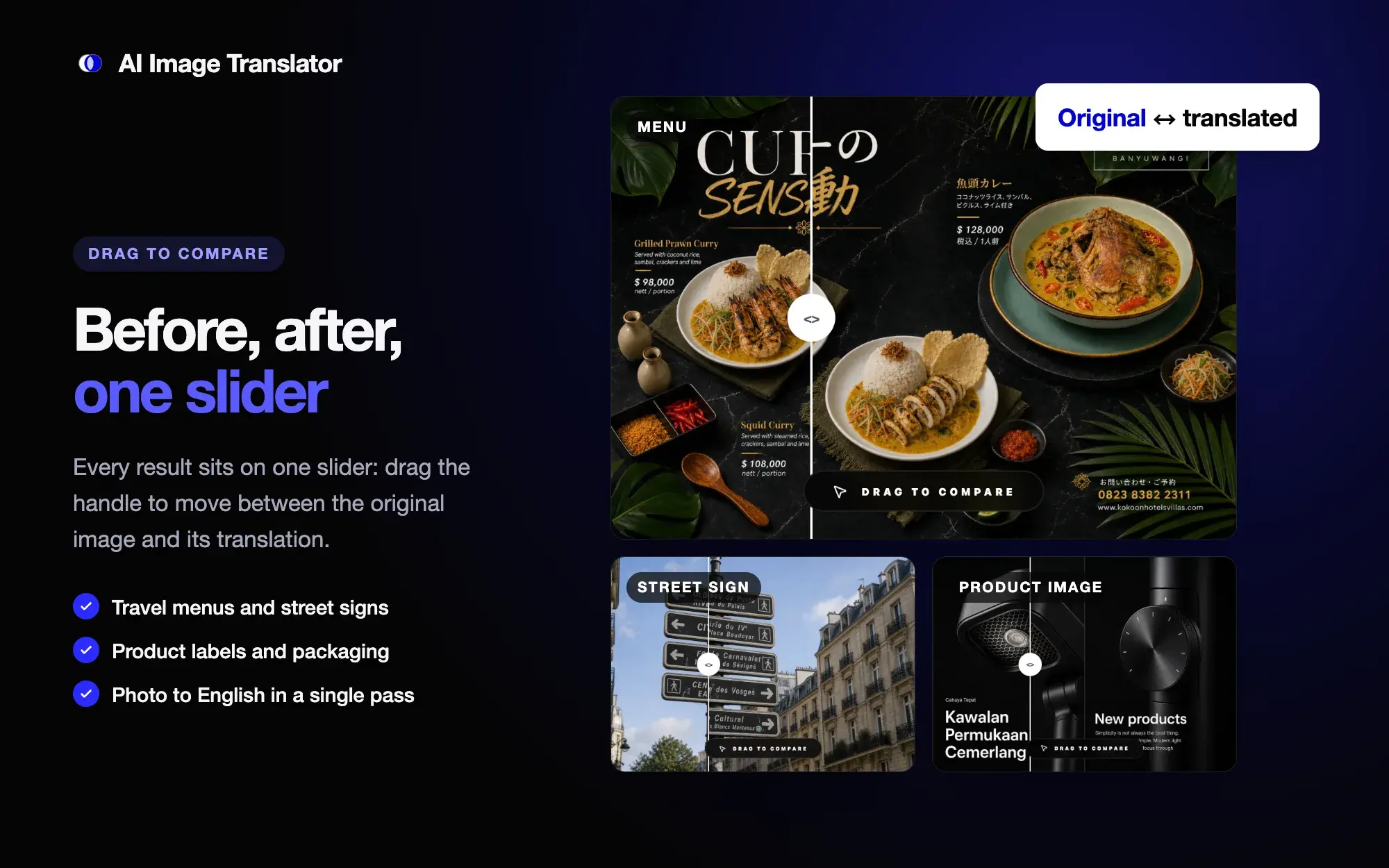
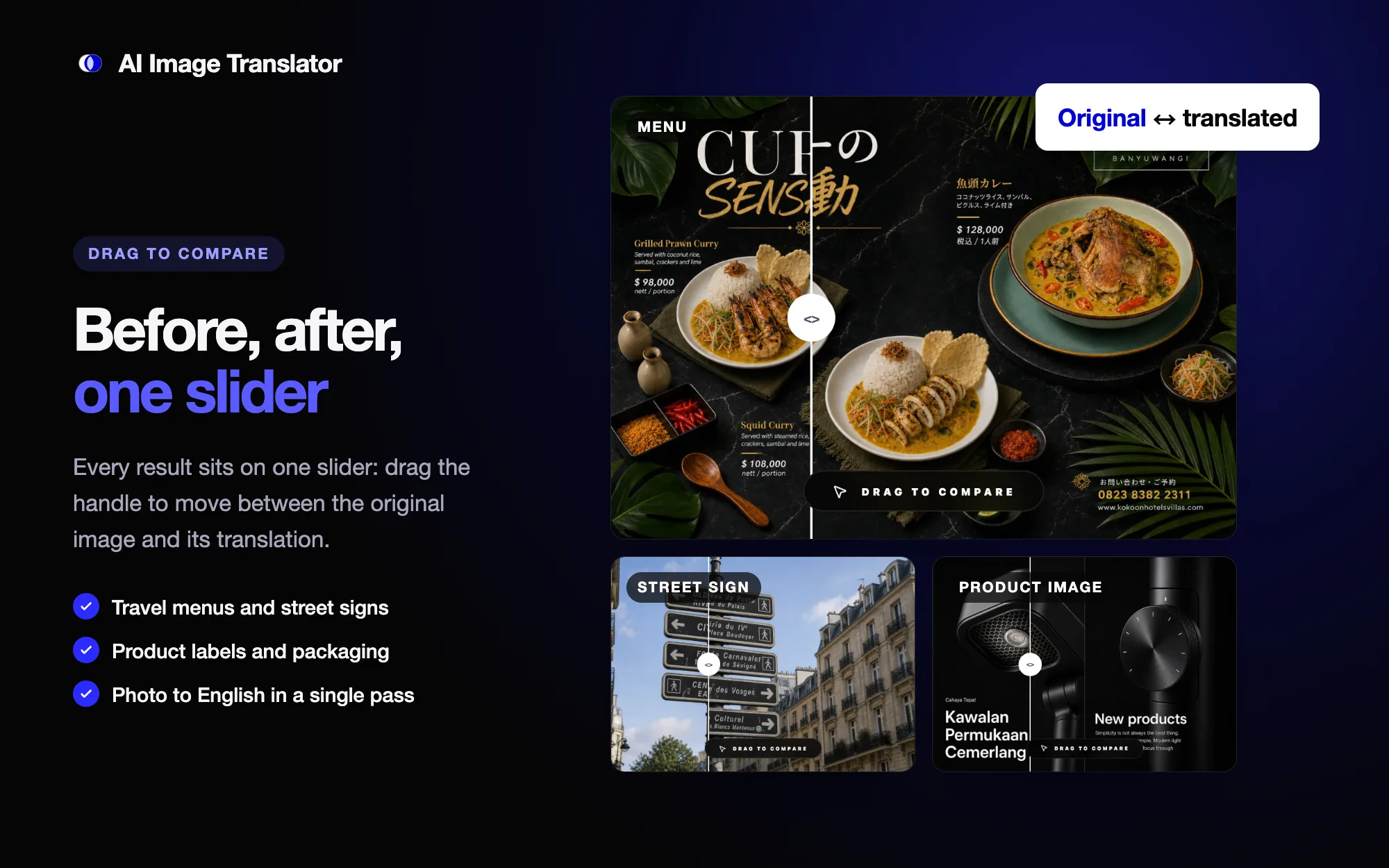
- 02 · Drag to compare
Original and translation on one slider
Each use case is shown as a draggable comparison, which makes the result easy to check against the source image.
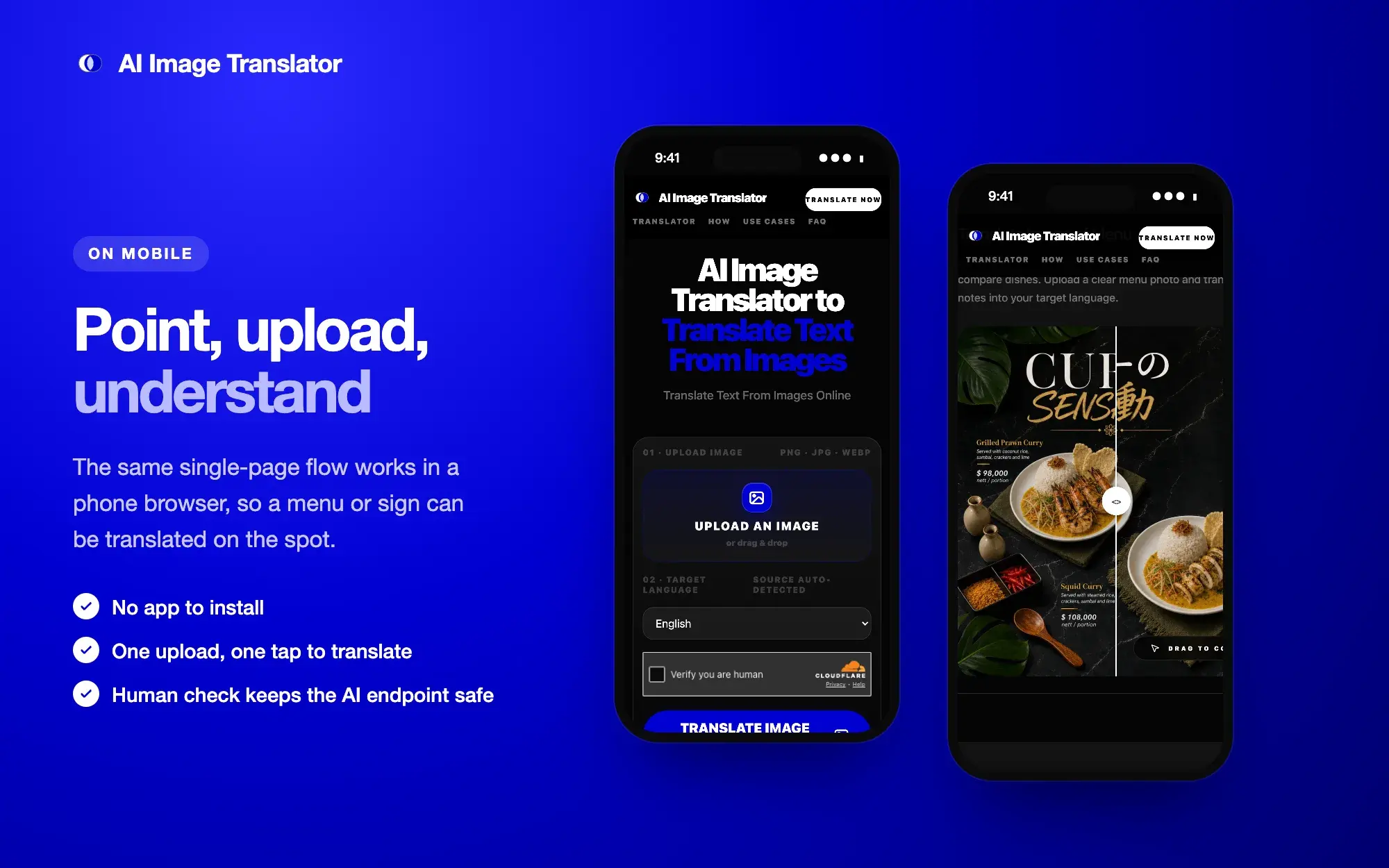
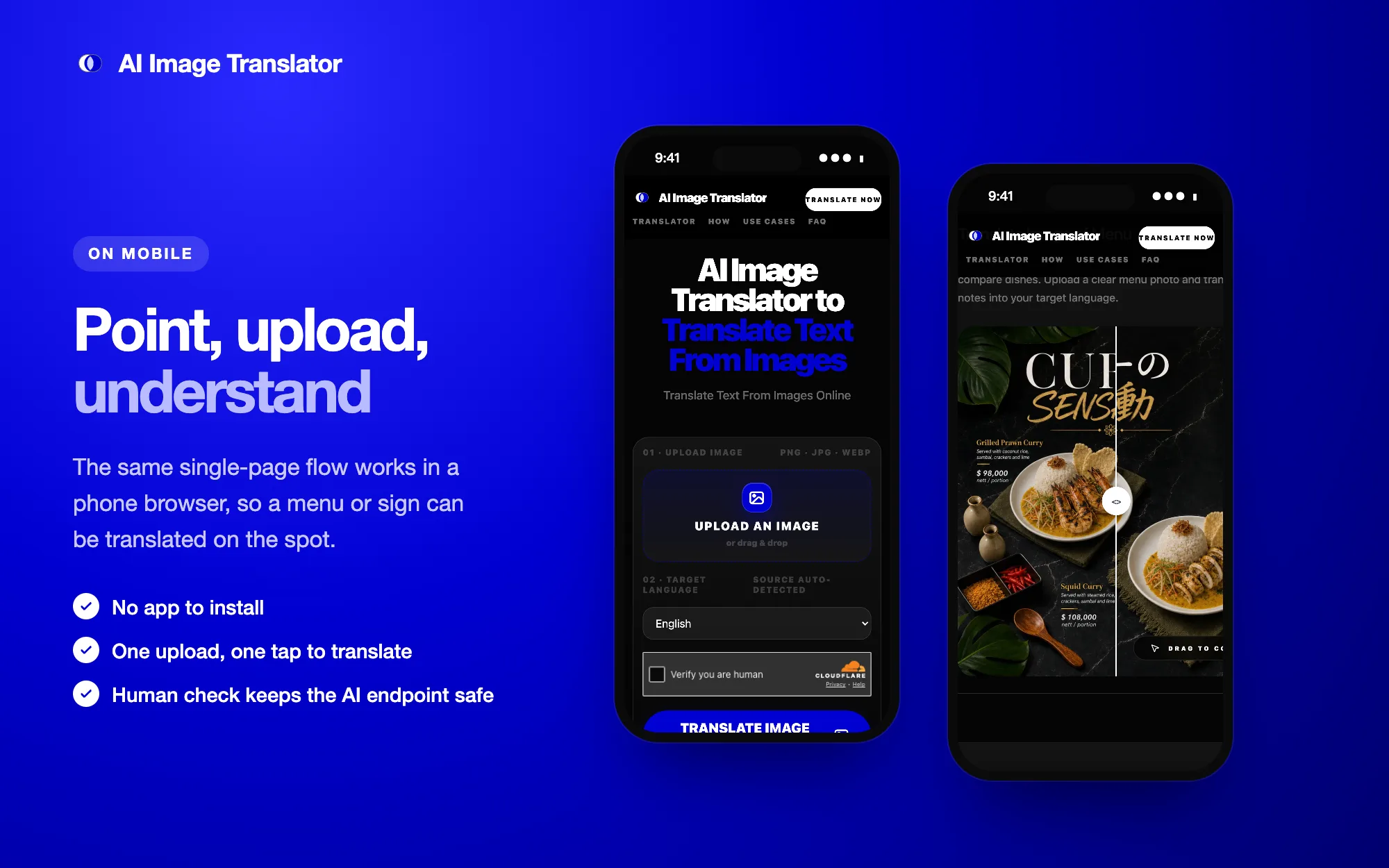
- 03 · On mobile
Translate a menu on the spot
The single-page flow works in a phone browser, with no app to install and a human check guarding the AI endpoint.
Region Distribution
- Global
- English search intent and utility workflow
- Singapore
- Portfolio case study and side-project narrative
Product Structure
- Started from a narrow search intent instead of a broad AI product idea.
- Put the whole workflow in the first screen: upload an image, choose a target language, translate, then drag to compare original and translated text.
- Kept the MVP to one image at a time: OCR, source-language detection, and translated text, without batch processing or layout-preserved export.
Use Cases
- Menus, signs, and labels for travel and everyday reading.
- Screenshots of apps, websites, games, and chats, translated without retyping.
- Product images, packaging, and size charts, with photo-to-English as the default path.
Execution Notes
- Used a hand-written single-page frontend to avoid unnecessary application structure.
- Protected the AI request path with a Cloudflare Pages Function and Turnstile verification.
- Built the how-it-works steps, use-case sections, FAQ, and structured data into the product page instead of adding SEO content later.
Reusable Learning
- A keyword can act as a practical product constraint for small utility products.
- For clear task-based tools, a working interface is often stronger than a large marketing hero.
- Stating what the tool does not do, such as redrawing the image, sets honest expectations and keeps the scope small.